Use videos you own or have permission to save. These screenshots use our own 1080p online sample; available formats and download support vary by website and video.
Try the sample & see what you need
Have the full video address, an internet connection, and space for the downloaded source and final output. Our four-second sample contains a moving test pattern and a tone. Copy this address into the desktop app:
https://www.hdyoutubedownloader.net/assets/tutorial-demo/hd-download-sample-20261023.m3u8This HLS source demonstrates the app's online workflow. YouTube access conditions and available source formats can differ; a video playing in your browser does not guarantee a downloadable source.
Step 1
Add the complete video URL
- Open Free YouTube Downloader HD and select Add YouTube link at the top of the main window.
- In Add video from URL, paste the full
https://address into the URL field. Copy the individual video page address rather than a search-result URL. - Leave Add each playlist item to the queue unchecked for a single video. Only enable it when you intend to add a supported playlist.
- Select Read formats. This step reads source information; it does not download the video.
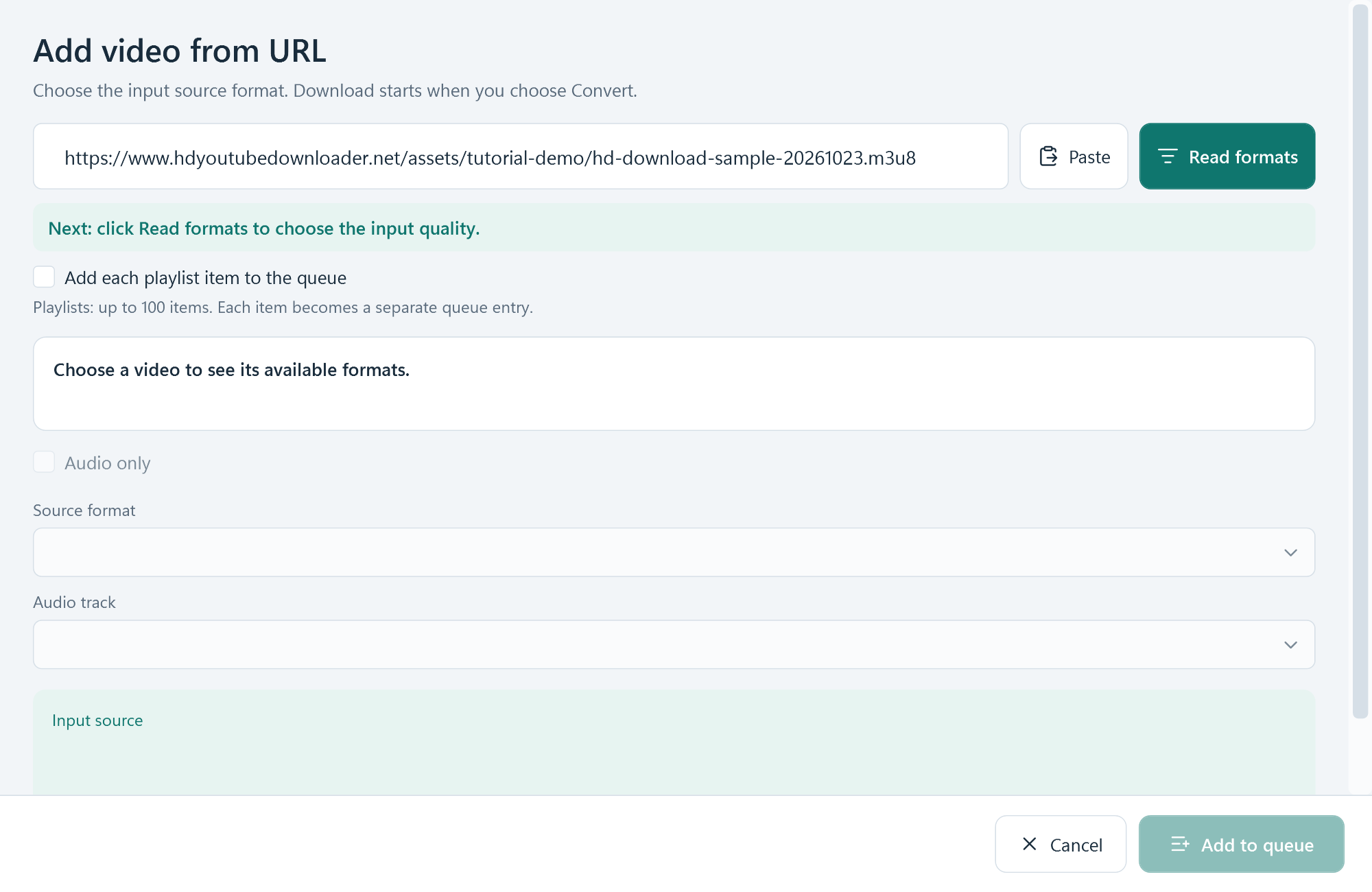
Wait for a title and source choices to appear. If no formats are returned, use the troubleshooting checks below. Do not treat an empty format list as a completed download.
Step 2
Choose the HD quality the source actually offers
Keep Audio only unchecked when you want video. Use Source format to choose a listed profile, or keep Best available quality. Read the Input source summary below the controls: it shows the selected resolution, frame rate, codec and audio information when available.
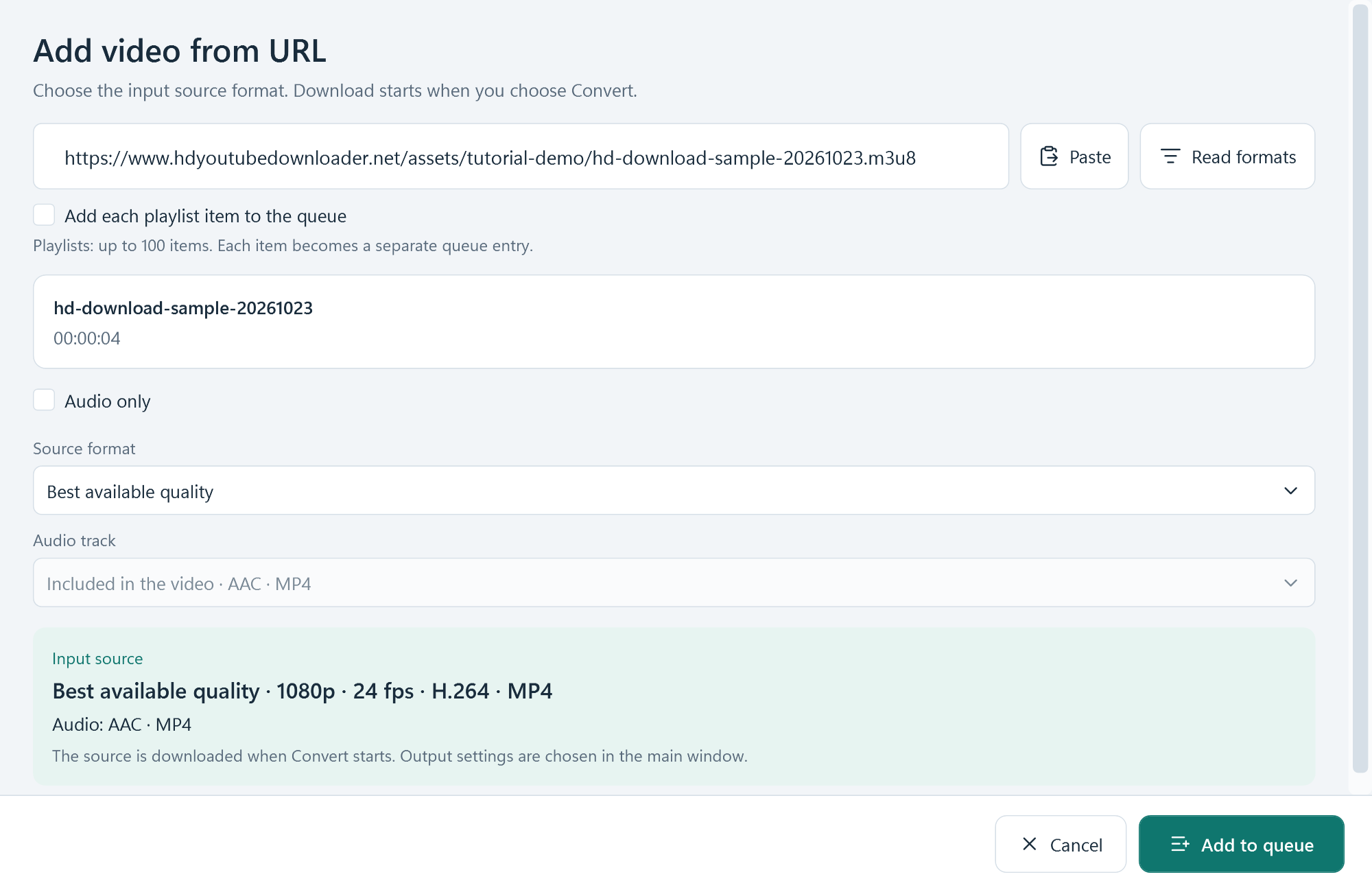
- For 1080p: select a 1080p source when one appears. A 720p-only source does not become true 1080p just because you select a larger output size later.
- For sound: check the Audio track control. Some sources include audio in the video; others provide a separate available track.
- For a playlist: quality choices apply within each item's available formats, so different items can resolve to different source quality.
Select Add to queue once the input summary matches what you need. The main window now shows an online queue item. Downloading still waits until you choose Convert.
Step 3
Choose MP4, set the destination, then Convert
- Review the online entry in the Media queue. Check that you added the intended source.
- Select an output target along the bottom. MP4 · H.264 is a useful starting point for a video with sound; MP3 creates an audio output instead.
- Open Output settings to review the destination folder and the selected output profile. Keep the original source dimensions when you do not need resizing. Use a separate output location and leave room for temporary source files.
- Select Convert. The app first downloads the queued online source, then creates the output using your selected settings. Keep the internet connection available during the source download.
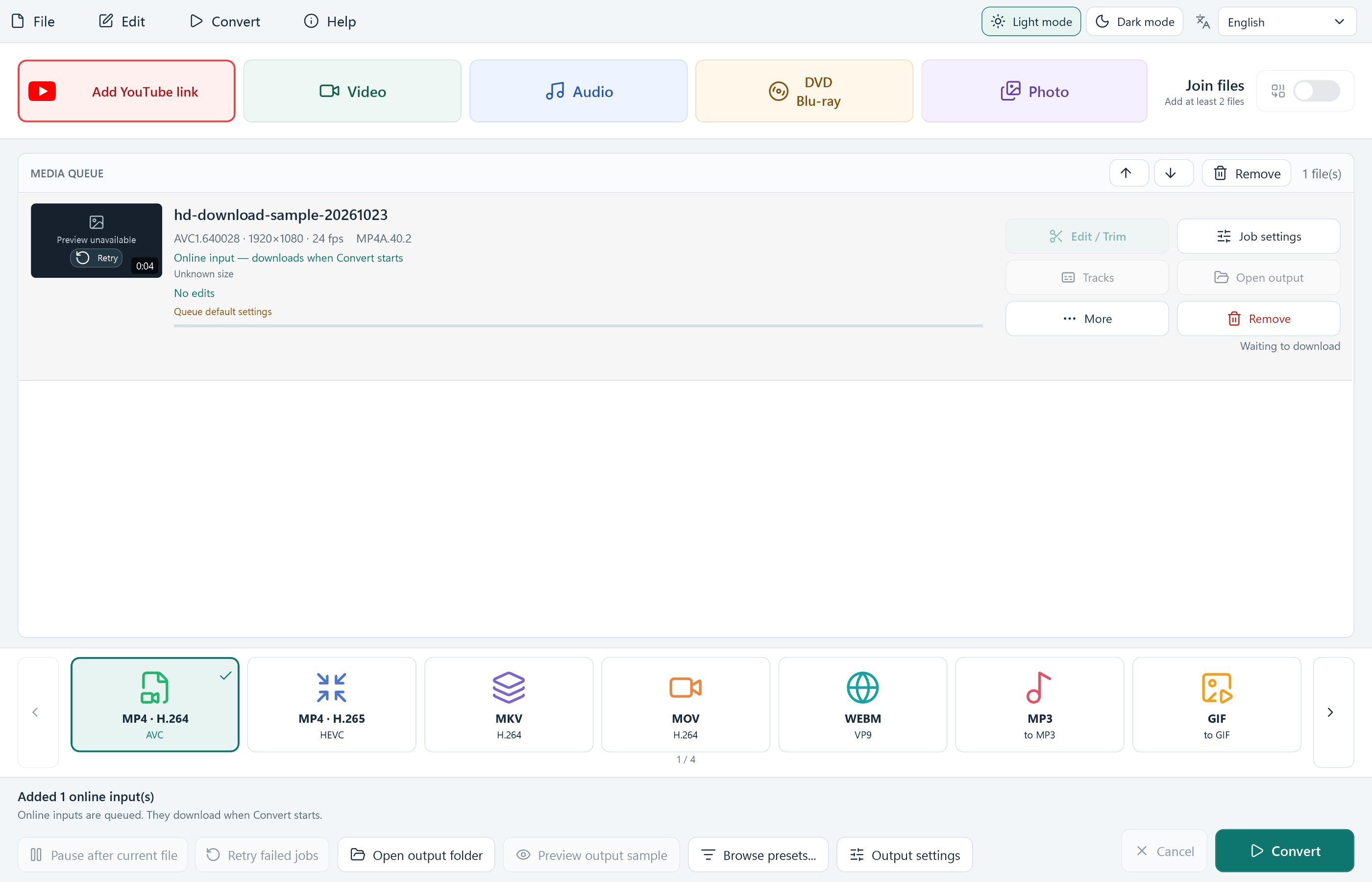
Read formats controls what is fetched from the website. MP4, MKV, MP3 and the other targets control what the app saves afterwards. Converting a low-resolution source cannot restore missing image detail.
Step 4
Open and check the completed file
Wait for the queue row to show Completed and the overall summary to report the completed file count. Select the row's Open output, or use Open output folder at the bottom to find the saved file.
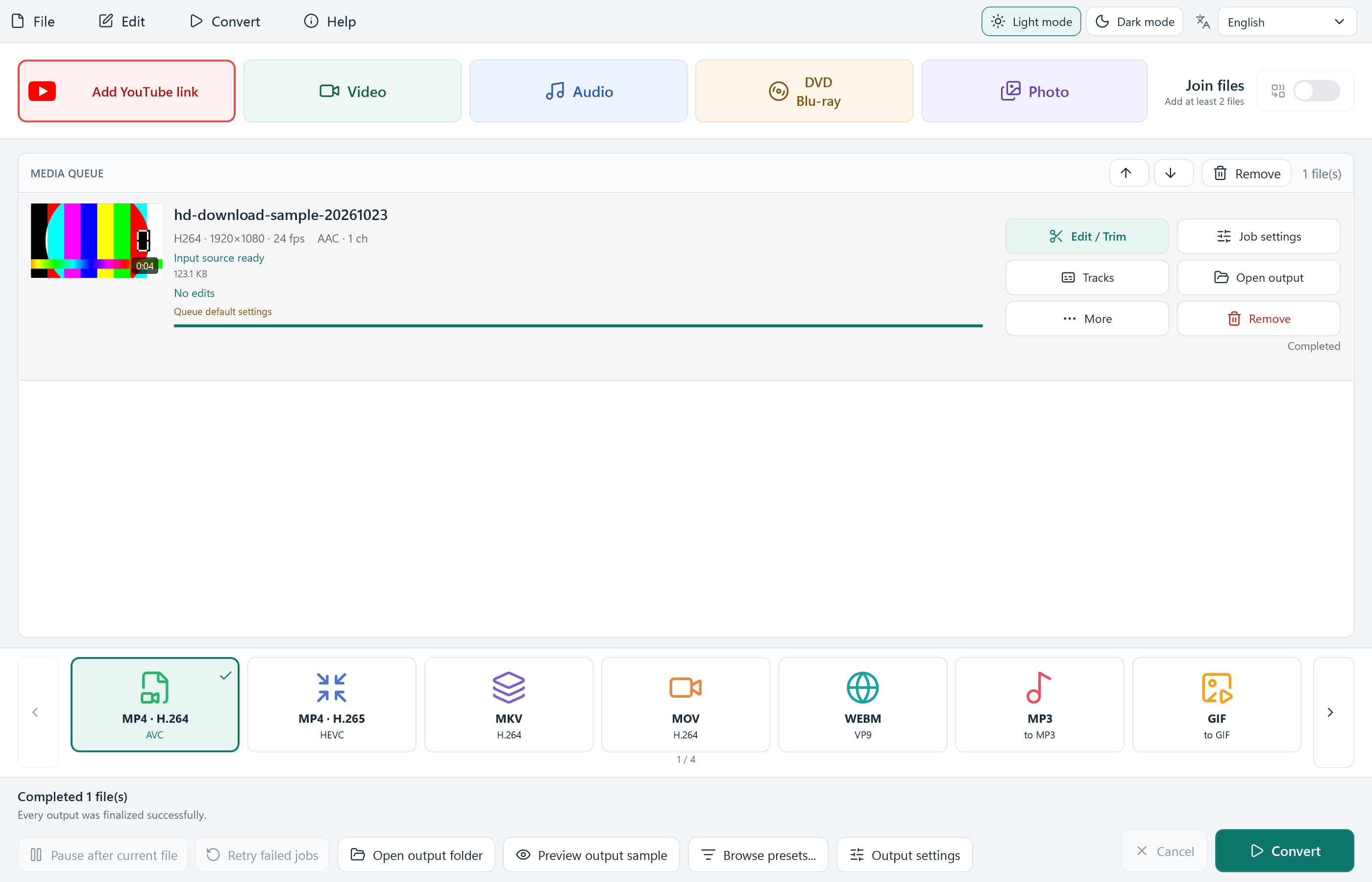
Play the result and check that the picture, sound, duration and destination are correct. Our illustrated run produced a four-second, 1920 × 1080 H.264 MP4 with AAC audio. Another source may produce different properties. Keep any originals until you are satisfied with the saved copy.
Additional queued items use their own job status. A completed file does not mean every item succeeded; check the summary for a failed count before you close the application.
When a YouTube or online video will not download
Read formats returns no downloadable formats
Check that the address is complete and that the source is accessible. Try Read formats again. If the dialog offers Check and update download module, use that built-in option and retry after the update. A private, removed, restricted or unsupported video may still be unavailable. Do not interpret an update as a guarantee that every website will work.
1080p or another HD option is missing
The list reflects formats the source exposes to the download module. Choose an available profile, or a different source you are allowed to save. Changing the output resolution does not create a missing HD source.
The output has no sound
Return to the source selection and check whether audio is included or a separate Audio track is available. Make sure you chose a video output profile with audio rather than an image/GIF target. Check the saved file in a player that supports its audio codec.
A queued download fails or stops
Read the item's error, check your network and available disk space, and correct the cause before using Retry failed jobs. Source URLs can expire or change. If necessary, read the original video address again and queue its newly available format. A source still marked as pending has not been saved yet.
Where is my downloaded video?
Use the completed row's Open output or the bottom Open output folder button. The destination is controlled by Output settings. A temporary source in the application's cache is not the same as your finalized output.
Get the free Windows application
All included app features are free. There is no account, activation or paid feature unlock. Review the installation details, including the separate optional offer, before installing.
Download Free for WindowsInstallation guide · Release and download details · Get help