Read available formats. Save an online video.
Free YouTube Downloader HD
Paste a supported video URL, read its available source quality, and save it as MP4 or another output format. HD is available when the source provides it.
100% Free. No Registration. No Activation.
- ✓All included features are free
- ✓No trial expiry
- ✓No subscription
Windows 10 & 11 · 64-bit
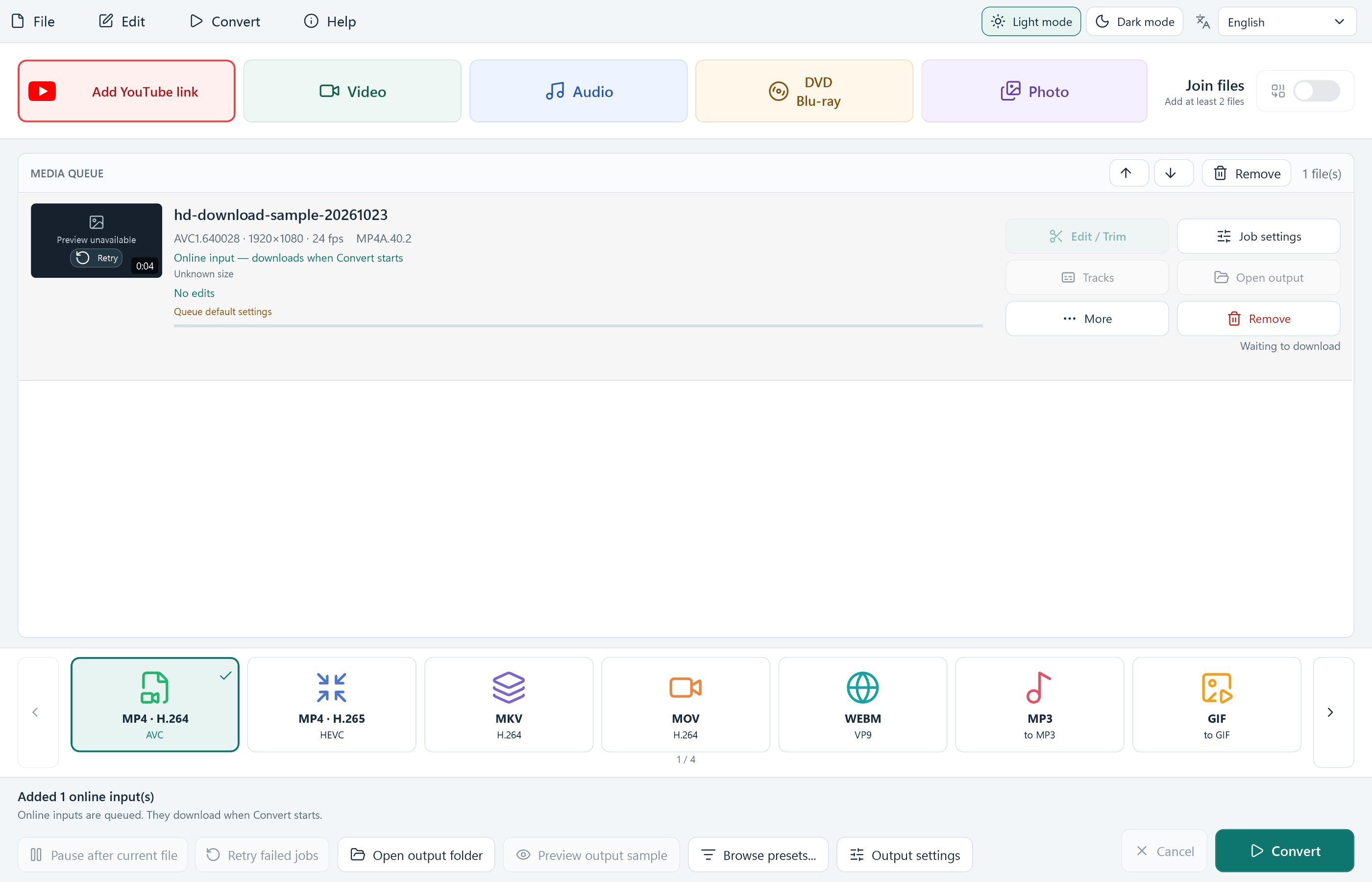
Actual app queue with our own online sample. Follow the illustrated download guide →
From a video address to a saved file
Check the source. Choose the output. Start the download.
The app reads the available source formats before downloading. This example uses our own online test video; each website and video can return different results.
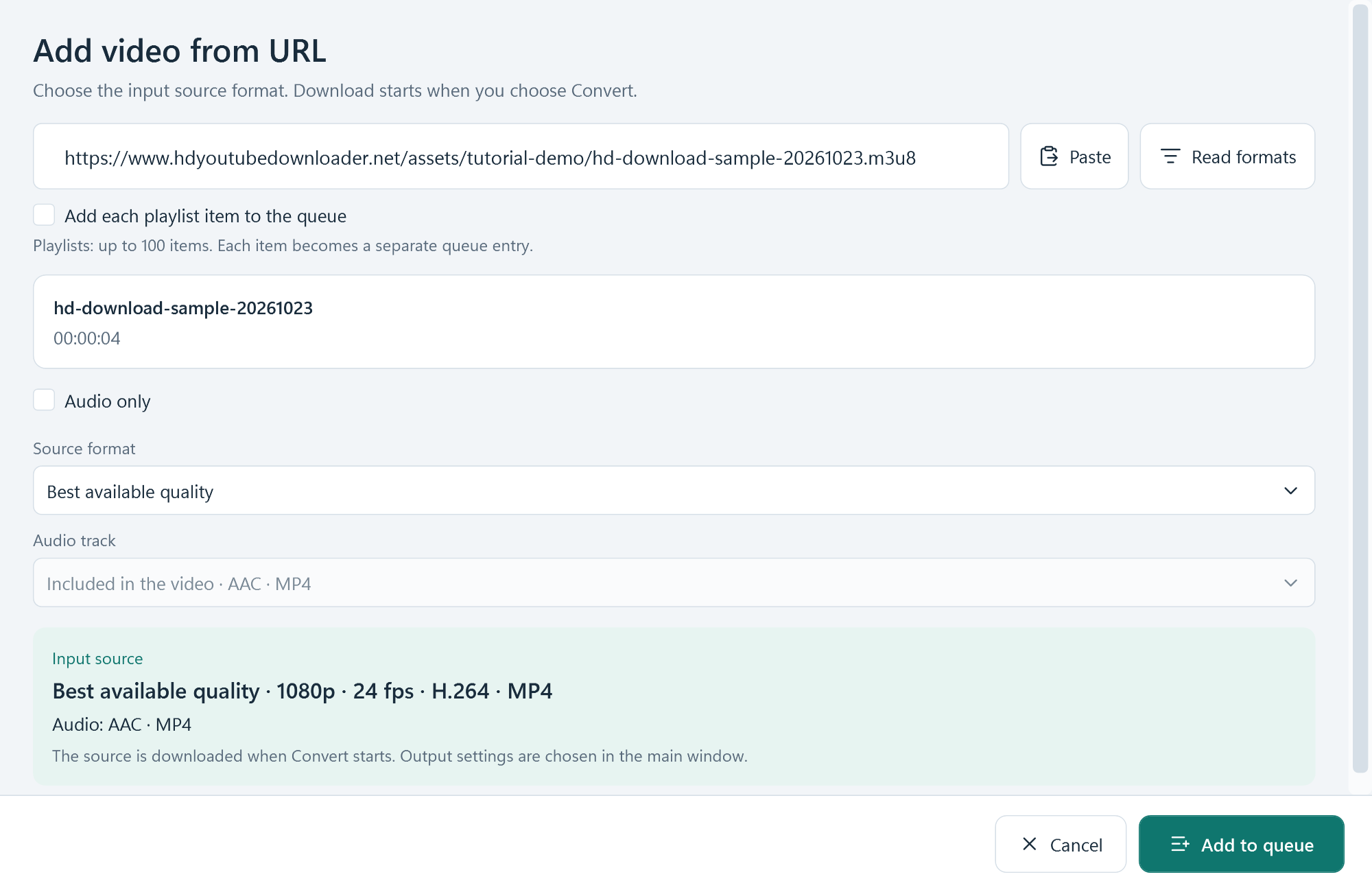
Read the available source quality
Select Add YouTube link, paste the full URL and choose Read formats. Review the actual resolution and audio track before adding the source to your queue.
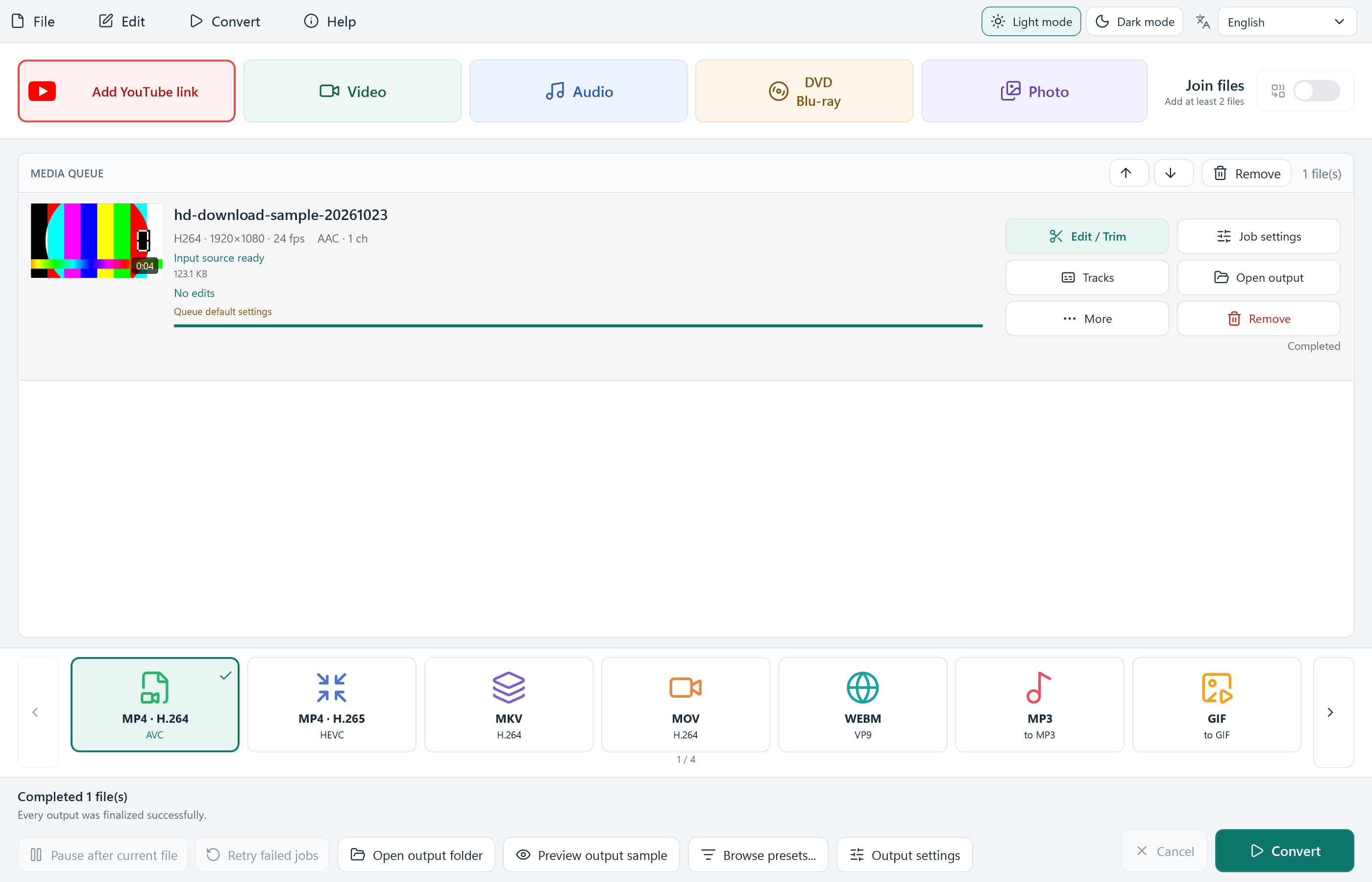
Save an MP4 and check the result
Choose an output such as MP4 · H.264, review Output settings, then select Convert. Downloading starts here. Use Open output when the job is completed.
Includes source-versus-output quality, missing HD formats, audio checks, failed downloads and finding your saved file.
No account to create
Keep it simple. Keep it free.
All included application features are free to use.
Is Free YouTube Downloader HD really 100% free?
Yes. You can use all included features without registration, activation, a license key, payment card or subscription. There is no trial expiry or paid feature unlock.
Does another offer decide whether I can use the app?
No. Setup may show an optional RelevantKnowledge research invitation with its own choices. You can decline or skip it and still install and use the free application.
Will my original files change?
Use a new output file name and keep your original files. Check your document, recording or conversion before replacing an older copy.
Free Windows video downloader
Add your first supported video URL.
Free Windows software, with no account, activation or subscription.
Read the installation guideFree YouTube Downloader HD
Version 8.9.0 · Windows 10 & 11, 64-bit
Download for Windows- ✓100% free, all app features included
- ✓No registration or activation
- ✓No paid unlock or trial expiry
Requirements and download details
Windows 10 or 11, 64-bit. Administrator permission is required to install in Program Files. Keep enough disk space for source, temporary and output files.